/GWCC_287_shortline.jpg?width=350&height=56&name=GWCC_287_shortline.jpg)
The purpose of this article is to help you understand why HubSpot may stop you from sending emails to certain contacts and the actions you can take when a contact is marked as bounced or opted out. These protections help maintain several important regulations.
Why HubSpot Blocks Sending to Certain Contacts
HubSpot will prevent emails from being sent to contacts when:
- The email address has hard bounced
- The contact has opted out (unsubscribed)
- The email address is marked as invalid or non-existent
- The contact has previously marked an email as spam
These restrictions apply to marketing emails and, in some cases, one-to-one emails, depending on the contact’s status.
Understanding Bounce Types
Hard Bounce
A hard bounce means the email address is invalid or does not exist.
- Examples include:
- Misspelled domains
- Deleted email accounts
- Fake or placeholder addresses
- Hard-bounced emails cannot be sent to againunless the email address is corrected and verified.
Soft Bounce
A soft bounce is a temporary issue, such as:
- A full inbox
- Temporary server issues
HubSpot may retry sending, but repeated soft bounces can eventually be treated as a hard bounce.
Understanding Opt-Out (Unsubscribe) Status
A contact is marked as opted out when they:
- Click unsubscribe in a marketing email
- Are manually opted out by a user
- Are suppressed due to compliance rules
Important:
- Opt-outs apply at the subscription level, not globally.
- Contacts cannot be re-subscribed manually unless they explicitly opt back in.
What You Can and Cannot Do
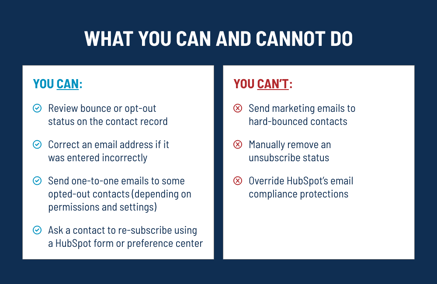
You CAN:
- Review bounce or opt-out status on the contact record
- Correct an email address if it was entered incorrectly
- Send one-to-one emails to some opted-out contacts (depending on permissions and settings)
- Ask a contact to re-subscribe using a HubSpot form or preference center
You CANNOT:
- Send marketing emails to hard-bounced contacts
- Manually remove an unsubscribe status
- Override HubSpot’s email compliance protections
How to Check a Contact’s Email Status
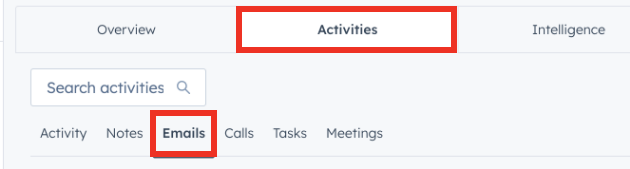
- Open the Contact record.
- Review the Email section for:
- Bounce notifications
- Unsubscribe status

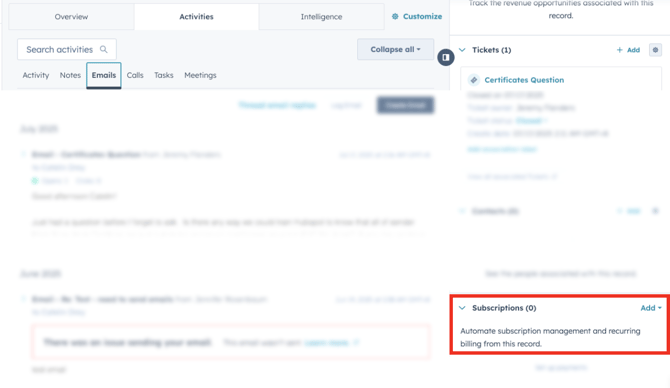
- Check Subscriptions to see which email types the contact is opted out of.
Best Practices
- Always confirm email addresses at the time of entry.
- Avoid copying and pasting email lists from external sources.
- Encourage contacts to manage their preferences through subscription forms.
- Do not attempt to bypass HubSpot’s email restrictions; they exist to protect deliverability and compliance.